QuickBooks Desktop Enterprise Explained: Silver vs Gold vs Platinum vs Diamond
What each QuickBooks Desktop Enterprise tier includes, who it's for, and how to pick between Silver, Gold, Platinum and Diamond without overpaying.
Published September 22, 2026 · QB Desktop Store
In this guide
QuickBooks Desktop Enterprise is Intuit’s most capable product. It is also the one with the most confusing lineup, because the four tiers stack on top of each other and the names say nothing about what is inside. This guide fixes that.
The four tiers at a glance
| Tier | What it adds | Best for |
|---|---|---|
| Silver | Core Enterprise: advanced reporting, 6x the capacity of Pro, industry editions, up to 40 users | Businesses that outgrew Pro or Premier |
| Gold | Everything in Silver + Enhanced Payroll | Businesses running payroll in-house |
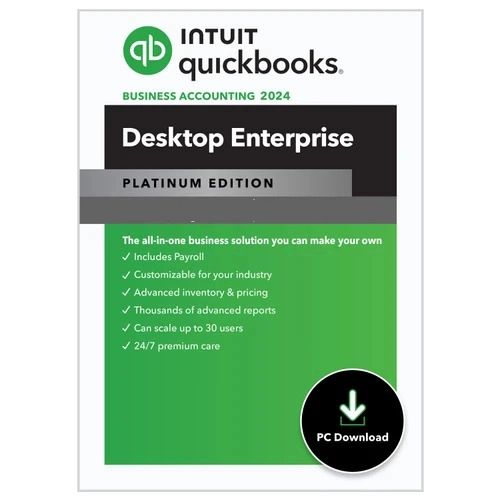
| Platinum | Everything in Gold + Advanced Inventory + Advanced Pricing | Warehouses, wholesalers, manufacturers, retailers |
| Diamond | Everything in Platinum + Assisted Payroll + QuickBooks Time Elite + Salesforce CRM connector | Larger teams with field staff and a sales team |
Each tier includes everything below it. You never lose a feature by going up.
Silver: the foundation
Silver is Enterprise without the add-ons. You get:
- Company files far larger than Pro or Premier can handle
- Advanced Reporting with custom templates
- Six industry editions: Contractor, Manufacturing and Wholesale, Nonprofit, Retail, Professional Services, Accountant
- Up to 40 simultaneous users
- Priority support and automatic backups included with the subscription
Choose Silver if you need capacity and reporting but handle payroll and inventory elsewhere, or not at all.
Gold: add payroll
Gold bundles Enhanced Payroll. That means paying employees by cheque or direct deposit, calculating federal and state taxes, printing W-2s and 1099s, and filing forms from inside QuickBooks. If you currently pay a separate payroll service, Gold usually costs less than Silver plus that service.
Platinum: add inventory and pricing
Platinum is the most popular tier for product businesses, and it is what most of our customers buy. The two additions are significant:
Advanced Inventory
- Multiple warehouse locations and bin tracking
- Barcode scanning for receiving, picking and counting
- Serial and lot number tracking
- Landed cost, so freight and duty roll into item cost
- Cycle counts and mobile inventory with a scanner
Advanced Pricing
- Price rules by customer, item, quantity or date
- Automatic promotional pricing
- Manufacturer markdowns
If you hold stock in more than one place, sell in quantity breaks, or need serial numbers, Platinum pays for itself quickly.
Diamond: the whole platform
Diamond adds Assisted Payroll (Intuit files the taxes for you and guarantees accuracy), QuickBooks Time Elite for mobile time tracking with GPS and scheduling, and a Salesforce CRM connector. It is billed monthly rather than annually. It fits companies with 20 or more staff, field crews, and a sales pipeline in Salesforce.
How many users do you need?
Enterprise is licensed per simultaneous user. Count the people who need to be in the file at the same time, not everyone who ever opens it. A ten-person company where three people do accounting often needs a 3-user licence, not ten.
Windows only, and what about the cloud?
Enterprise runs on Windows 10 or 11, or on Windows Server for multi-user setups. If your team is spread out, Enterprise can be hosted on a cloud desktop so everyone logs in remotely. Intuit and third-party hosts offer this; ask us and we will point you to the right option.
Which tier should you buy?
- Payroll in-house, no inventory: Gold
- Inventory in more than one location, or serial numbers, or quantity pricing: Platinum
- Neither of those: Silver
- Field staff, Salesforce, want Intuit to handle payroll taxes: Diamond
Browse the Desktop Enterprise editions in our shop, or message us on WhatsApp with your user count and we will quote the right tier.
Need help choosing?
Tell us your business size and what you need. We'll recommend the right edition, no obligation.
Ask on WhatsAppDesktop Enterprise in our shop
 Save $20
 QuickBooks Desktop Enterprise Platinum 2024 for Windows | 1 User | US Version
QuickBooks Desktop Enterprise Platinum 2024 is an advanced accounting and business management solution designed for growing businesses that
Save $20 QuickBooks Desktop Enterprise Platinum 2024 for Windows | 5 Users | US Version
QuickBooks Desktop Enterprise Platinum 2024 is an advanced accounting and business management solution designed for growing businesses that
More guides
How Much Does QuickBooks Cost? Online, Desktop and Payroll Prices Compared
All QuickBooks prices in one place: QuickBooks Online plans, Desktop Enterprise tiers, Payroll, Time and Payments, with the extras Intuit doesn't show up front.
QuickBooks Desktop 2024 System Requirements (Windows and Mac)
Everything your PC or Mac needs to run QuickBooks Desktop 2024 and Enterprise 24.0: operating system, processor, RAM, disk, display, server and browser requirements.
QuickBooks Desktop Pricing in 2026: What Each Edition Really Costs
Current QuickBooks Desktop pricing for Enterprise Silver, Gold, Platinum and Diamond, what happened to Pro and Premier, and how to lower the cost.