QuickBooks Desktop 2024 System Requirements (Windows and Mac)
Everything your PC or Mac needs to run QuickBooks Desktop 2024 and Enterprise 24.0: operating system, processor, RAM, disk, display, server and browser requirements.
Published September 22, 2026 · QB Desktop Store
In this guide
Before you buy or install QuickBooks Desktop 2024, check the machine. Most installation problems we see come down to an unsupported operating system or too little memory. Here are the requirements as published by Intuit for the 2024 release (Enterprise 24.0, Pro Plus 2024, Premier Plus 2024, Mac Plus 2024).
Windows: Pro Plus, Premier Plus and Enterprise 24.0
Operating system
- Windows 11, 64-bit, natively installed
- Windows 10, 64-bit, natively installed, all editions except Home Single Language
- Windows Server 2022, 2019 or 2016 for multi-user database servers
Not supported: 32-bit Windows, Windows 8.1 and earlier, Windows running in an emulator or on ARM devices, and Linux.
Hardware
| Component | Minimum | Recommended |
|---|---|---|
| Processor | 2.4 GHz | Multi-core, 3 GHz+ |
| RAM (workstation) | 8 GB | 16 GB |
| RAM (server, 1 to 5 users) | 8 GB | 16 GB |
| RAM (server, 10+ users) | 16 GB | 32 GB |
| Disk space | 2.5 GB, plus space for your company file | SSD strongly recommended |
| Display | 1280 x 1024, 100% DPI | 1920 x 1080 |
| Optical drive | Not needed, download install |
Software
- Microsoft .NET Framework 4.8
- Internet connection for activation, updates and payroll
- Internet Explorer 11 components are still used by some features on older systems; Edge is the default browser integration
- Microsoft Office 2013 to 2021 or Microsoft 365 (32- and 64-bit) for exporting to Excel and sending email through Outlook
Mac: QuickBooks Desktop Mac Plus 2024
- macOS 13 Ventura or later
- Intel or Apple silicon processor, Apple silicon runs natively
- 4 GB RAM minimum, 8 GB recommended
- 250 MB disk space plus your company file
- 1280 x 800 display or better
- Internet connection for activation and updates
Mac Plus is single-platform. A Mac company file cannot be opened directly on Windows; it needs a conversion.
Multi-user setups
For more than one user on the same file:
- Host the company file on a Windows PC or Windows Server that is always on
- Install the QuickBooks Database Server Manager on that machine
- Use a wired gigabit network; Wi-Fi works but is slower and less reliable for large files
- Every workstation needs the same QuickBooks version and release
Virtual and remote environments
QuickBooks Desktop runs on Windows in Parallels or VMware on a Mac, and on Citrix, Windows Terminal Services and cloud-hosted desktops. Intuit supports these, but performance depends on the resources you assign. Give the virtual machine at least 8 GB and two cores.
Company file limits, by edition
| Pro Plus / Premier Plus | Enterprise | |
|---|---|---|
| Recommended max file size | 150 MB (Pro), 250 MB (Premier) | 1.5 GB+ |
| List items (customers, vendors, items) | 14,500 | 100,000+ |
| Simultaneous users | 3 (Pro), 5 (Premier) | 40 |
If you are near those limits on Pro or Premier, that is the signal to move to Enterprise.
Quick pre-install checklist
- Windows 10 or 11 64-bit, fully updated
- 16 GB RAM if you can, 8 GB minimum
- SSD with 5 GB free
- Admin rights on the machine
- Antivirus exclusions for the QuickBooks folders, added after install
- Your licence and product numbers ready
Every order from us includes installation guidance on WhatsApp. If you are unsure whether your machine qualifies, send us a screenshot of Settings › System › About and we will confirm before you buy.
Need help choosing?
Tell us your business size and what you need. We'll recommend the right edition, no obligation.
Ask on WhatsAppDesktop Enterprise in our shop
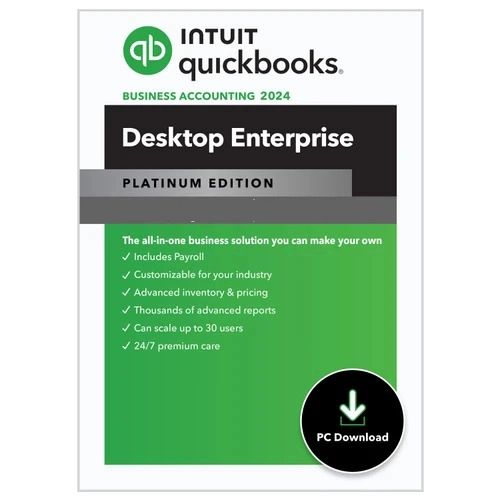 Save $20
 QuickBooks Desktop Enterprise Platinum 2024 for Windows | 1 User | US Version
QuickBooks Desktop Enterprise Platinum 2024 is an advanced accounting and business management solution designed for growing businesses that
Save $20 QuickBooks Desktop Enterprise Platinum 2024 for Windows | 5 Users | US Version
QuickBooks Desktop Enterprise Platinum 2024 is an advanced accounting and business management solution designed for growing businesses that
More guides
How Much Does QuickBooks Cost? Online, Desktop and Payroll Prices Compared
All QuickBooks prices in one place: QuickBooks Online plans, Desktop Enterprise tiers, Payroll, Time and Payments, with the extras Intuit doesn't show up front.
QuickBooks Desktop Enterprise Explained: Silver vs Gold vs Platinum vs Diamond
What each QuickBooks Desktop Enterprise tier includes, who it's for, and how to pick between Silver, Gold, Platinum and Diamond without overpaying.
QuickBooks Desktop Pricing in 2026: What Each Edition Really Costs
Current QuickBooks Desktop pricing for Enterprise Silver, Gold, Platinum and Diamond, what happened to Pro and Premier, and how to lower the cost.